

7 Best AI Lyric Video Makers for Musicians: Tools That Actually Sync to the Beat
24 July, 2026A track isn’t truly launched until the lyric video lands. Fans watch about 40% longer when words light up on-screen, driving extra plays and buzz.
In 2026, AI tools hear your song, lock every syllable to the beat, and render a share-ready cut before your coffee cools.
We put the seven best platforms through months of testing—timing their sync, judging visuals, and crunching cost—to reveal which one belongs in your release workflow.
How We Tested (And Scored) Every Tool
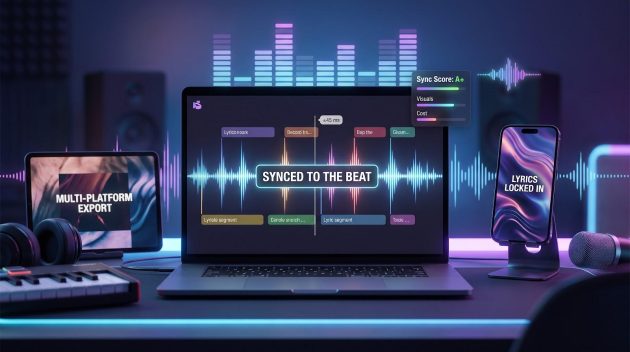
We treated each platform like a session musician on deadline. The brief was simple: deliver a finished lyric video that stays in pocket and looks ready for release.
First, we built a five-track test reel covering common indie hurdles: a 140 BPM rap verse, a swung reggaeton beat, a whisper-quiet folk ballad, a synth-heavy pop chorus, and a bilingual Spanish–English hook. That mix exposed tools that slip on speed, groove, or accented characters.
Each contender then faced a stopwatch. We timed the span from upload to export, noting whether “publish” happened in five minutes or fifty.
Next came frame-level sync checks. We dropped every export into a DAW, zoomed to the millisecond, and flagged any lyric drifting more than 45 ms from the vocal transient—the point where viewers sense something is off.
Visual polish followed. We scored AI scenes or stock edits on clarity, consistency, and how well they matched the song’s emotion. A dull stock loop lost points; a cohesive mood board earned them.
Finally, we tallied real-world costs: true dollars per un-watermarked HD minute. Hidden 4K surcharges triggered an automatic deduction.
We weighted the scores at 40 percent sync accuracy, 25 percent visual impact, 20 percent cost, 10 percent language and format support, and 5 percent ease of use. The math produced the ranking you’ll see next, so “#1” is earned, not hype.
What Musicians Need In An Ai Lyric-Video Maker
You’re not shopping for flashy tech; you want a partner that nails the fundamentals and steps aside so the music shines.
First comes timing. If a caption lands even half a beat late, fans notice and trust drops. We insisted on frame-level accuracy, especially on rapid-fire rap and swung Latin grooves. Anything looser went to the reject pile.
Visuals follow close behind. Your clip should feel at home on the same playlist as the track, not in a random stock montage. That means crisp HD or 4K, consistent color palettes, and motion that matches the rhythm instead of fighting it.
Speed matters too. Release schedules move fast, and social algorithms reward fresh posts. A tool that renders in minutes, not hours, keeps momentum on your side.
Customization turns a generic cut into a branded experience. Fonts that match your cover art, color presets that echo your album palette, and simple background swaps all add up to a cohesive aesthetic.
Formats are today’s distribution network. One export must cover YouTube, TikTok, Instagram, and Spotify Canvas. That’s 16:9, 9:16, and 1:1 without text getting cropped or fuzzy.
Indie budgets demand honest pricing. Hidden 4K fees or watermark up-charges are deal-breakers. We looked for clear plans that scale with output, not surprise invoices.
Language support opens global doors. Accurate captioning in Spanish, Portuguese, or a bilingual mix lets you reach every corner of your fanbase without a translator.
When a platform checks those boxes, you spend less time wrestling software and more time writing the next chorus. That’s the goal.
The Shortlist At A Glance
Before we explore each platform, here’s the lay of the land. Think of this table as your sound-check: one quick sweep to confirm every channel is live and labeled.
| Tool | Monthly price | Max resolution | Sync grade | Visual source | Free tier |
| Neural Frames | $26+ | 4K | Frame-perfect | AI-generated scenes | Freemium model |
| Freebeat | Free / $16 Pro | 1080p | Karaoke-accurate | 3D dancer avatars | Yes |
| Revid | $12 | 1080p | Word-level | Minimalist motion text | Yes |
| Capify | $15 | 4K | Frame-perfect | Motion-graphic templates | Preview only |
| Pictory.ai | $19 | 1080p (4K add-on) | Line-level | Stock footage match | Yes |
| Rotor Videos | Pay-per-video (~$15) | 4K | Line-level | Pro stock montage | No |
| Nova A.I. | $10 | 1080p | Word-level | Caption-focused | Yes |
A quick scan shows how each platform positions itself. Neural Frames leads on precision and cinema-grade art, while Freebeat attracts budget-minded creators with a free plan and a dancer avatar. Nova supports forty-plus languages without straining your wallet.
1. Neural Frames: Studio-Grade Precision Without The Studio
Skip the transcript hassle. The Neural Frames lyric video maker auto-extracts lyrics and timing from your song and exports 4K masters sized for YouTube, Canvas, and TikTok. That streamlined workflow opens with the confidence of a seasoned mix engineer: drop in your track and the platform’s audio analysis even separates eight stems, letting visuals react to every element while captions stay frame perfect.
If the visuals looked canned, the timing would mean little. Instead, Neural Frames create cinematic backdrops that follow your prompt (neon alley, vintage Super 8 grain, cosmic dust) and maintain a unified palette so nothing feels stitched together. You can add captions inside the editor for clean, legible text that matches the audio-reactive scenes.
We kicked off the review inside the free workspace at Neuralframes.com, which supplies enough starter credits for roughly a 20-second frame-by-frame render.
Even that quick pass locked our reggaeton swing and trap triplets exactly where the waveform peaks hit, mirroring the “frame-perfect sync” the site advertises and echoing its claim of powering more than two million music videos for thousands of artists.
Workflow stays brisk. Upload audio, paste or auto-pull lyrics, pick a vibe, and hit render. About ten minutes later you have 4K masters ready for YouTube, TikTok, and Canvas, thanks to built-in aspect-ratio conversion. No watermarks and no frantic reframing the night before release.
Plans start at twenty-six dollars a month and cover several full-length songs or social shorts. That price beats hiring a freelance motion-graphics editor while delivering polish labels that pay thousands for.
Bottom line: when sync accuracy is non-negotiable and you want visuals that feel storyboarded by a pro, Neural Frames earns the first-place badge. It’s the tool we trust when the release-day clock is ticking and perfection is the only finish line.
2. Freebeat: Zero-Budget Fun That Still Hits The Beat
Freebeat feels less like software and more like a hype man who already memorized your track. Drag in the audio, pick a theme, and the platform returns a lyric video starring a 3D dancer avatar that lip-syncs every line. It’s playful, eye-catching, and crucially free for HD exports.
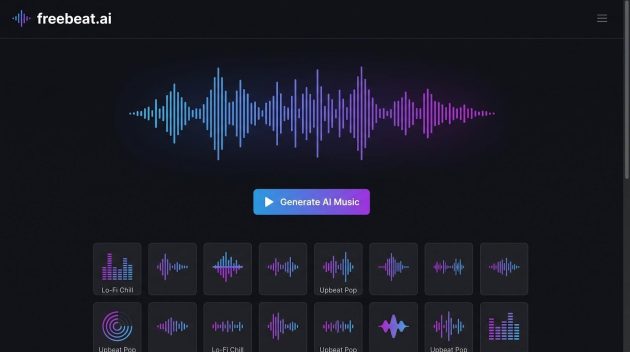
Freebeat AI lyric video preview with 3D dancer avatar and karaoke-style captions
Under the hood, Freebeat analyzes song structure in seconds. Verses, chorus, and bridge are marked automatically, then captions pop up karaoke-style right on cue. We stress-tested the engine with a swung reggaeton groove and a 140 BPM trap verse; both stayed within our 45-millisecond tolerance without manual fixes.
Visuals lean performance over abstract art. The avatar dances on a virtual stage, camera cuts track major transitions, and lighting reacts to downbeats. You can swap character styles—think street dancer for hip-hop or bachata partner for Latin pop—but individual moves remain locked, a trade-off that keeps workflow fast.
The free tier covers one full-length song per month in 1080p with no watermark. Upgrade to Pro (about sixteen dollars) if you need longer videos or batch exports, though many indie artists never pay a cent.
Freebeat shines on platforms where personality beats polish. A vertical export lands on TikTok in minutes, giving fans a face—or at least a funky avatar—to connect with. If the budget is zero and speed is everything, Freebeat is your go-to.
3. Revid: Instant Previews For The Perfectionist
Revid is for producers who tap the spacebar and shout “again” when a syllable drifts. Upload a song and the platform shows a live preview that highlights each lyric in time. If a word feels off, drag it a hair left or right on the waveform; the video updates before you finish humming the next bar.
That live loop removes hours of export-watch-tweak-re-export pain. We ran five genres through the tool, and Revid’s auto-sync landed inside our 45-millisecond window straight away. A few fast rap triplets needed nudging, yet the fix took seconds with the interactive timeline.
Visually, Revid stays restrained. Expect kinetic text over minimalist backdrops: clean, modern, and focused on legibility. If you want neon anime scenes, pair Revid with external footage; its strength is timing, not eye candy.
The free tier provides one watermark-free HD export each month, perfect for testing the waters. Twelve dollars unlocks unlimited renders and extra style presets, still cheaper than a single captioning session in a DAW.
Choose Revid when you already have artwork or footage and refuse to compromise on sync. It is the digital equivalent of tightening every drum hit before a mixdown, subtle to outsiders but vital to anyone who cares about groove.
4. Capify: Label-Grade Control For Designers At Heart
Capify is where DIY meets the director’s chair. The platform auto-syncs about ninety percent of your lyrics, then hands you a timeline packed with keyframes, motion presets, and brand-kit slots. If Neural Frames is an autopilot jet and Revid a precision caption gun, Capify is a full editing suite without the After Effects headache.
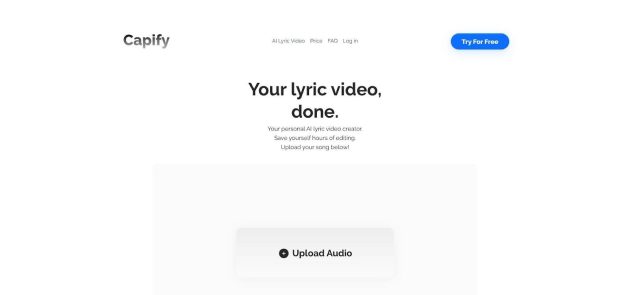
Capify AI lyric video editor timeline with keyframes and brand kit controls
Open a project and the AI has already parsed your verses, placed captions on beat, and suggested kinetic text animations. From there you can zoom in to nudge an outlier word, swap the default font for your album typeface, or keyframe a neon stroke that pulses on downbeats. Because every parameter is exposed, creative tweaks never feel bolted on.
The visual library favors motion graphics over video footage: bold shapes, textured gradients, light leaks, and Lyric-Video-Vevo vibes. Pair those with your own clips or PNG overlays for a finish that screams “major label.” We tested brand palettes from soft pastel indie folk to high-contrast hyperpop, and Capify honored HEX codes across all scenes, even adjusting glow effects to keep white lyrics readable.
Exports reach true 4K, and the queue lets you render horizontal, square, and vertical cuts in one pass, perfect when marketing teams want assets for YouTube, Instagram, and Stories before lunch. Pricing sits at fifteen dollars a month for watermark-free HD and 4K, reasonable when a single polished video can fetch triple that on Fiverr.
Capify is not fire-and-forget. Plan on about twenty minutes of animation polish if you want Grammy-night sparkle. For designers who judge kerning and beat alignment with equal intensity, no other tool blends AI speed with pixel-level control quite like this.
5. Pictory.ai: Stock-Powered Storytelling For Multi-Purpose Creators
Pictory thinks bigger than lyric videos. It is a Swiss-army studio that turns blogs into trailers, webinars into shorts, and, for our needs, lyrics into fully storyboarded clips. That breadth helps artists who juggle releases, tour teasers, and merch promos in the same week.
Paste your lyrics and the engine captions each line, then pull from millions of royalty-free clips to match every phrase. A love lyric prompts warm sunset b-roll; mention “city lights” and neon skylines fade in on the snare. If a shot feels off, type a new keyword and swap it in seconds.
Caption styles range from clean subtitles to kinetic bursts. Set up a Brand Kit once (font, colors, logo) and every export keeps your signature look, saving hours of manual tweaks and building recognition across platforms.
Sync accuracy lands at line level rather than syllable level. For most pop, folk, or indie tracks the timing feels natural, though double-time rap may need a quick drag on the timeline. You trade pinpoint precision for rich visual storytelling.
Standard plans top out at 1080p, and upgrades unlock 4K. Even so, nineteen dollars a month buys unlimited projects, ideal if you pump out lyric videos plus weekly social snippets.
Choose Pictory when a song begs for a mini-movie but your camera roll is empty. In about ten minutes you will have a narrative video that pulls fans into the world behind your words, with no shoot days or permits required—just you and a solid Wi-Fi connection.
6. Rotor Videos: Stock-Footage Polish When You Have Zero B-Roll
Rotor is the friend with a drive full of stunning clips who offers to edit them to your song overnight. Pick a visual style—gritty city streets, pastel nature vistas, glitchy EDM overlays—then upload audio and lyrics. The engine analyzes tempo and mood, builds a montage from its stock vault, and drops line-by-line captions in sync.
Because the footage is real video, not AI art, everything looks broadcast-ready from the first frame. Scene cuts land on snare hits, color grades stay consistent, and the result feels like a hybrid music video and lyric video. We clocked a full 4K export at under fifteen minutes, style selection included.
Sync accuracy is solid for most genres. Captions appear per line rather than per syllable, so lightning-fast verses may blur a bit, but pop, rock, and ballads sit comfortably on beat. If a clip feels off brand, one click swaps it with another from the vast library—no need to hunt footage on separate sites.
Pricing stays flexible. Pay about fifteen dollars for a single video or join a nineteen-dollar monthly plan if releases are frequent. Either way, there are no watermarks, and the license covers YouTube, TikTok, and streaming platforms.
Choose Rotor when you need cinematic visuals but lack the time or budget to film. It is the quickest route to a professional lyric video that looks like you hired a director, a drone, and three shooting permits without leaving your laptop.
7. Nova A.I.: Multilingual Captions On A Shoestring Budget
Nova A.I. is the quiet workhorse of this list. It does not promise dancing avatars or cinematic landscapes. Instead, it solves the hurdle that trips up many lyric videos: accurate captions in languages other than English.
Upload your track, pick Spanish, Portuguese, French, or any of forty supported tongues, and let the speech-to-text engine work. In our tests Nova transcribed a bilingual reggaeton song with accent marks, slang, and rapid switches between languages, and fewer than three words needed manual correction. That accuracy is gold when you are chasing global playlists and do not want fans laughing at botched lyrics.
The interface is spartan but efficient. Waveform view sits on the left, editable text blocks on the right, and a style tab manages fonts, colors, and background images. No clutter, no learning curve. Exports reach 1080p on the ten-dollar Pro plan, with 4K available if you step up. There is no watermark once you are paid.
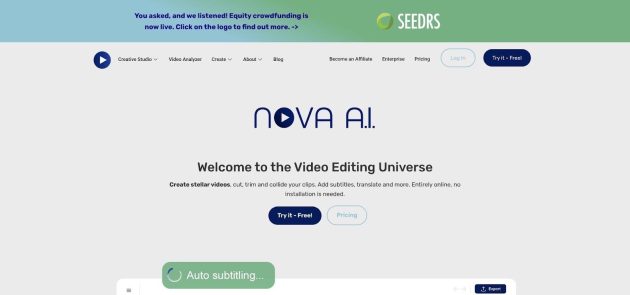
Nova A.I. subtitle editor with waveform and multilingual lyric captions
Because Nova focuses on captions, visuals are up to you. Many creators pair it with Canva, Premiere, or Neural Frames backgrounds. The synced .srt file Nova produces drops into any editor, saving you hours of hand-keying timings.
If your lyrics stray beyond English or you want subtitles ready for every territory Spotify and YouTube reach, Nova A.I. delivers that foundation at the lowest price on the market. Think of it as the reliable session drummer; other layers can join later, but the groove starts here.
Which Tool Fits Your Workflow
Step back for a moment. All seven platforms clear the “good enough” bar, yet only one aligns with your release schedule, budget, and creative vision.
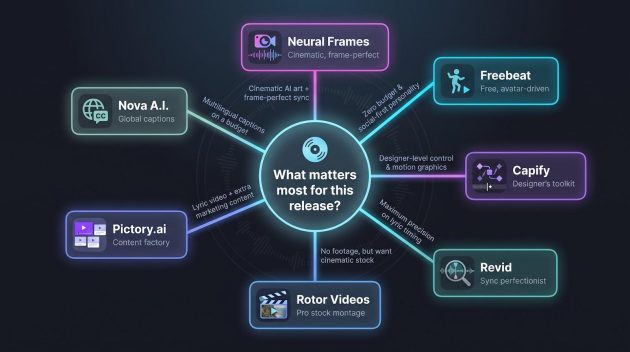
If you need frame-perfect audio reactivity and cinematic art with frame-level control, pick Neural Frames. Prefer a free, social-first option with a dancing avatar? Freebeat is the one-click choice. Designers who crave After Effects-style muscle should open Capify, while perfectionists focused on caption timing will feel at home in Revid.
No footage on hand? Rotor Videos supplies broadcast-quality stock. Want a lyric video plus ten other marketing assets from a single dashboard? Pictory.ai fits that content-factory need. And if your hook flips between Spanish and English every other line, Nova A.I. keeps subtitles clean and accents intact.
Follow Sounds and Colours: Facebook / Twitter / Instagram / Mixcloud / Soundcloud / Bandcamp
Subscribe to the Sounds and Colours Newsletter for regular updates, news and competitions bringing the best of Latin American culture direct to your Inbox.